Set up tickets and pricing
Create an entry for each distance, decide who pays the fees, and control what you ask runners at checkout.
A listing tells runners your race exists. A ticket is the thing they actually buy. Most races have one ticket per distance.
Open Tickets for your race
Choose Tickets in the menu, then pick the race. The page shows every ticket you have created, how many have sold, and the settings that apply to the whole race.

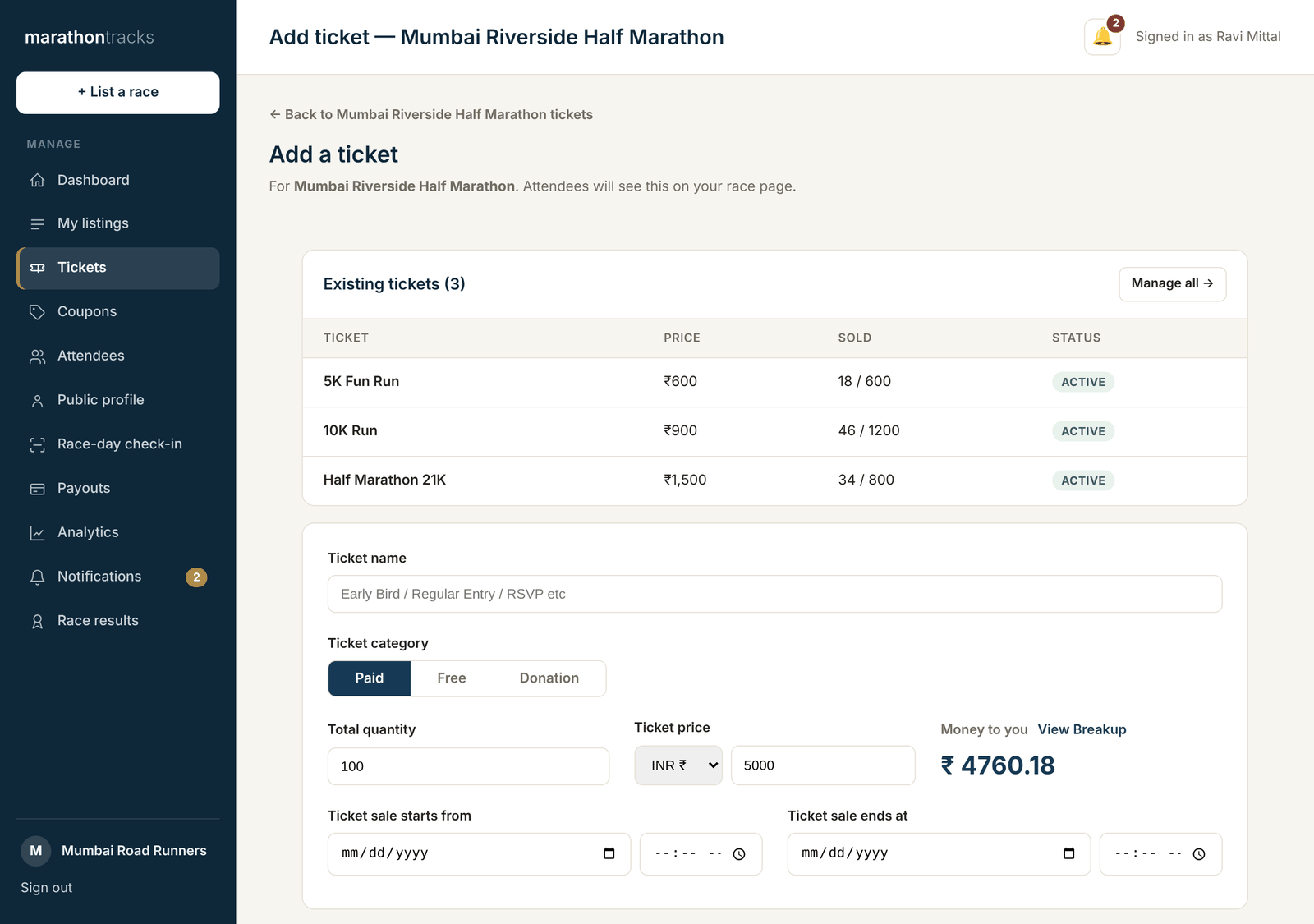
Add a ticket
Press Add ticket and fill in the name, price, and how many you are selling. The name is what the runner sees, so “Half Marathon 21K” beats “Ticket 1”.
A few fields are worth understanding properly:
- Sale window — when this ticket can be bought. Leave the end date empty and it sells until the race.
- Who pays the fees — you can absorb the platform and payment fees or pass them to the buyer. Passing them on keeps your advertised price clean; absorbing them makes checkout cheaper. You choose per ticket.
- Min and max per booking — stops one person buying your whole field.
- What is included — the icons runners see on your race page: T-shirt, medal, bib, refreshments and so on.
- Your own questions — anything extra you need, like club name or emergency contact.
Decide who gets asked for a T-shirt size
T-shirt size is asked at checkout, and it is set per ticket. That matters when a ₹1,500 entry includes a shirt and a ₹600 fun-run entry does not — the cheaper runners should not be asked for a size they will never use.
There is a race-wide default on the Tickets page, and each ticket can override it. The “T-shirt size” column tells you where every ticket stands. Ticking T-Shirt under what is included turns size collection on for you.