Race-day check-in with volunteers
Give each volunteer a link that scans tickets on their own phone. No app, no login, nothing for them to set up.
Every ticket carries a QR code. On race morning your volunteers scan it and the runner is checked in. They do not need an account, and you do not have to give anyone your password.
Create one link per volunteer
Go to Race-day check-in, pick your race, and create a link for each person who will be scanning. Give it a name you will recognise — “Start line desk 1”, or “Priya's phone” — and a date it should stop working. The default is the day after the race.
Make one each rather than sharing a single link. Then if a phone goes missing you turn off just that one and everyone else carries on.

Send it to them
You get a QR code and a copyable link. Point their phone at the QR or message them the link — either opens the scanner straight away. The link is shown in full only once, so a screenshot of this page is not a working key.
On the morning
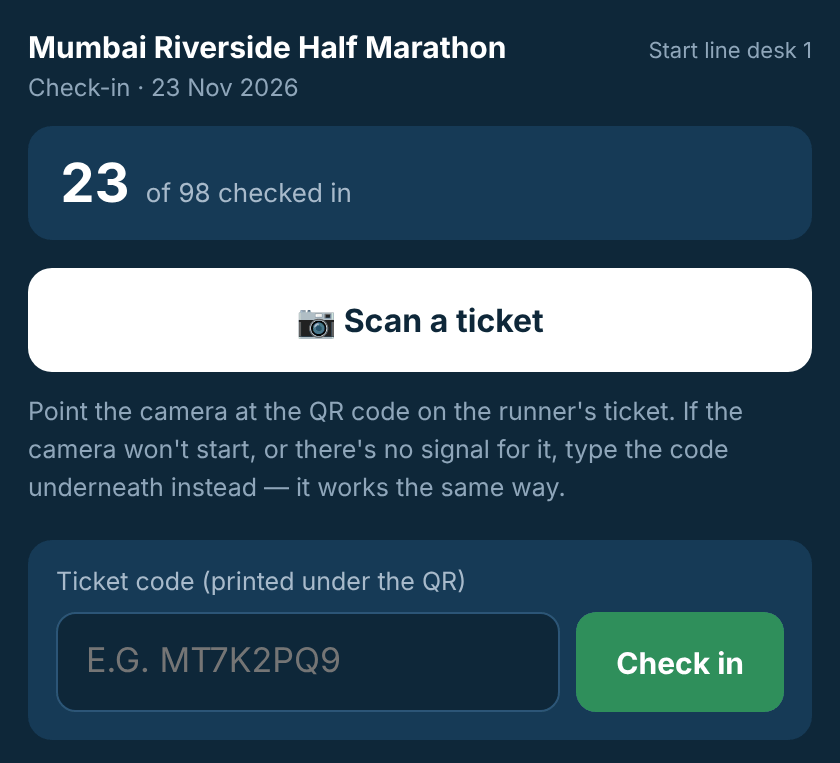
The volunteer opens the link and taps Scan a ticket. A big green panel means let them through; amber means already checked in; red means stop. It beeps and buzzes, so nobody has to stare at the screen.
If the camera will not start or there is no signal for it, they type the ticket code instead — the box is always on screen and works identically.
Afterwards
Turn off the links you no longer need. They expire on their own, but turning them off is instant.